 by
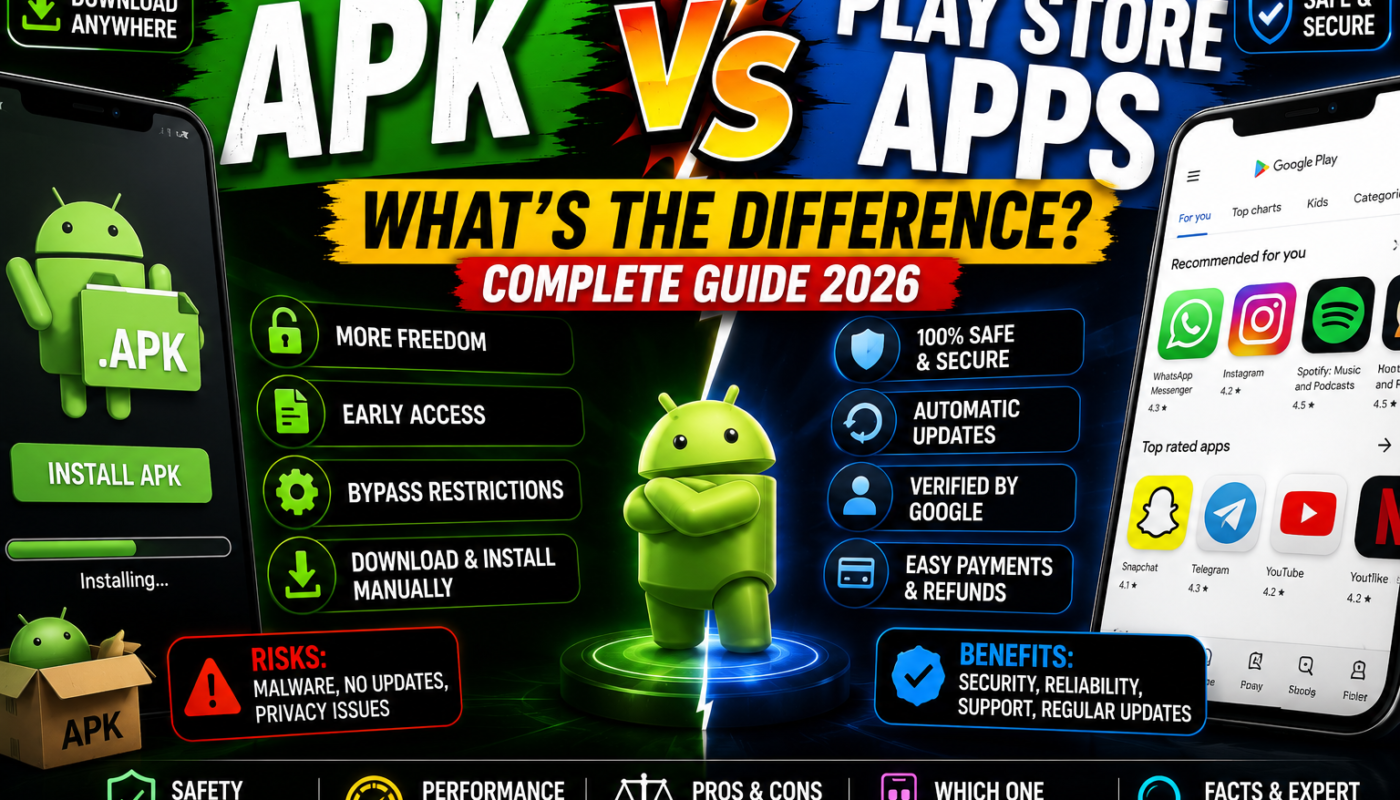
by APK vs Play Store Apps – What’s the Difference?
Android is one of the most flexible mobile operating systems in the world. Unlike many other platforms, Android allows users to install applications in different ways. Most users download apps directly from the Google Play Store, while others prefer installing APK files manually from external websites.
Because of this, many Android users often ask an important question:
“What is the difference between APK apps and Play Store apps?”
In reality, both are connected to the same Android ecosystem, but they work differently in terms of installation methods, security, updates, accessibility, customization, and user control.
Understanding these differences is extremely important in 2026 because APK downloads have become more popular than ever. Millions of Android users now install apps manually to access premium features, region-locked applications, early updates, and modified versions unavailable on the Play Store.
In this detailed guide, we will explain everything about APK apps vs Play Store apps, including their history, how they work, their advantages, disadvantages, safety risks, and which option is better for Android users.
What Is an APK App?
APK stands for “Android Package Kit.” It is the official file format used by Android devices to install mobile applications.
The APK system was developed by Google for the Android operating system.
Every Android app is technically an APK file, including apps installed from the Play Store.
An APK file contains:
- App code
- Images and graphics
- Permissions
- App resources
- Security certificates
- Configuration files
When users download APK files manually from websites, this process is called “sideloading.”
What Is the Google Play Store?
Google Play Store is the official Android app marketplace created by Google.
It allows users to:
- Download apps
- Update applications
- Purchase games
- Install movies and books
- Access official Android software safely
The Play Store is pre-installed on most Android smartphones and is considered the safest method for downloading apps.
History of APK and Play Store Apps
Android was officially launched by Google in 2008.
At the same time, Google introduced the Android Market, which later became the Google Play Store in 2012.
However, Android was designed as an open operating system. This openness allowed users to install APK files manually instead of depending entirely on the official app store.
This freedom became one of Android’s biggest advantages over competing mobile operating systems.
Today, both APK installations and Play Store downloads are used by millions of Android users worldwide.
Main Difference Between APK Apps and Play Store Apps
The biggest difference is the installation source.
APK Apps
APK apps are downloaded manually from external websites or shared files.
Play Store Apps
Play Store apps are installed directly through the official Google Play Store.
Although both are Android apps, their security, update systems, and accessibility can differ significantly.
1. Installation Process
APK Installation
To install APK files manually:
- Download the APK file
- Enable “Install Unknown Apps”
- Open the APK file
- Install manually
This process gives users more freedom but also increases security risks.
Play Store Installation
Play Store apps install automatically with a single tap.
Google handles:
- Installation
- Updates
- Security scanning
- Compatibility checks
This makes the process easier and safer for average users.
2. Security Differences
APK Apps Security
APK files can sometimes be dangerous if downloaded from untrusted websites.
Risks include:
- Malware
- Spyware
- Hidden ads
- Data theft
- Fake applications
Because APK files come from external sources, users must verify app authenticity themselves.
Play Store Security
The Google Play Store uses:
- Play Protect scanning
- Malware detection
- Developer verification
- Security policies
Although unsafe apps can occasionally bypass security, Play Store apps are generally much safer.
3. App Availability
APK Apps
APK downloads provide access to:
- Region-locked apps
- Removed applications
- Beta versions
- Older app versions
- Modified apps
- Premium unlocked features
This flexibility is one reason APK files are extremely popular.
Play Store Apps
The Play Store only allows officially approved applications.
Some apps may not appear because of:
- Country restrictions
- Device compatibility
- Policy violations
- Developer limitations
4. Updates and Maintenance
APK Apps
APK apps require manual updates.
Users must:
- Visit websites again
- Download newer APK versions
- Install updates manually
This gives more control but can become inconvenient.
Play Store Apps
The Play Store automatically updates apps in the background.
Users receive:
- Security patches
- Bug fixes
- New features
- Performance improvements
without needing manual installations.
5. Customization and Mod Features
APK Apps
This is where APKs become extremely popular.
Users can access:
- Mod APKs
- Premium unlocked apps
- Unlimited money games
- Ad-free versions
- Enhanced customization
Apps like CapCut or modded games often gain popularity because of these extra features.
Play Store Apps
Play Store apps follow strict policies.
Most premium features require:
- Subscriptions
- In-app purchases
- Official upgrades
Customization is more limited compared to APK mods.
6. Performance and Compatibility
APK Apps
Some APK versions are optimized for:
- Older devices
- Low RAM phones
- Faster performance
- Reduced storage usage
However, poorly modified APKs may cause crashes or bugs.
Play Store Apps
Official apps are generally more stable because they go through testing and compatibility verification.
This usually provides smoother long-term performance.
7. Legal and Ethical Differences
APK Apps
Standard APK files are legal.
However:
- Pirated apps
- Cracked software
- Unauthorized premium unlocks
may violate copyright laws or developer policies.
Play Store Apps
Play Store apps are officially distributed and fully approved by developers.
This makes them legally safer for users.
Why Many Users Still Prefer APK Apps
Despite the risks, APK downloads continue growing because users enjoy:
- More freedom
- Faster updates
- Region-free access
- Experimental features
- Premium tools
- Modded gaming experiences
Gamers especially prefer Mod APKs for unlimited coins, unlocked skins, and advanced gameplay features.
Which Option Is Better?
The answer depends on user needs.
Choose Play Store Apps If You Want:
- Better security
- Automatic updates
- Simpler installation
- Stable performance
- Official developer support
Choose APK Apps If You Want:
- More customization
- Early access updates
- Modded features
- Region-locked apps
- Older app versions
Many Android users actually use both methods together.
Safety Tips for APK Downloads
If you choose APK apps, follow these important safety rules:
- Download from trusted websites only
- Scan APK files before installation
- Avoid suspicious permissions
- Read user reviews
- Keep Android security enabled
- Avoid fake premium scams
Protecting your device should always be your top priority.
Final Thoughts
The debate between APK apps and Play Store apps continues growing in 2026 as Android users seek more flexibility and control over their devices.
Google Play Store remains the safest and easiest option for most users because of its automatic security and update systems.
However, APK apps continue dominating among advanced users, gamers, creators, and customization enthusiasts because they provide freedom, early access, and powerful extra features.
Both systems have advantages and disadvantages. The best choice depends on how much freedom, customization, security, and convenience an Android user wants.