 by
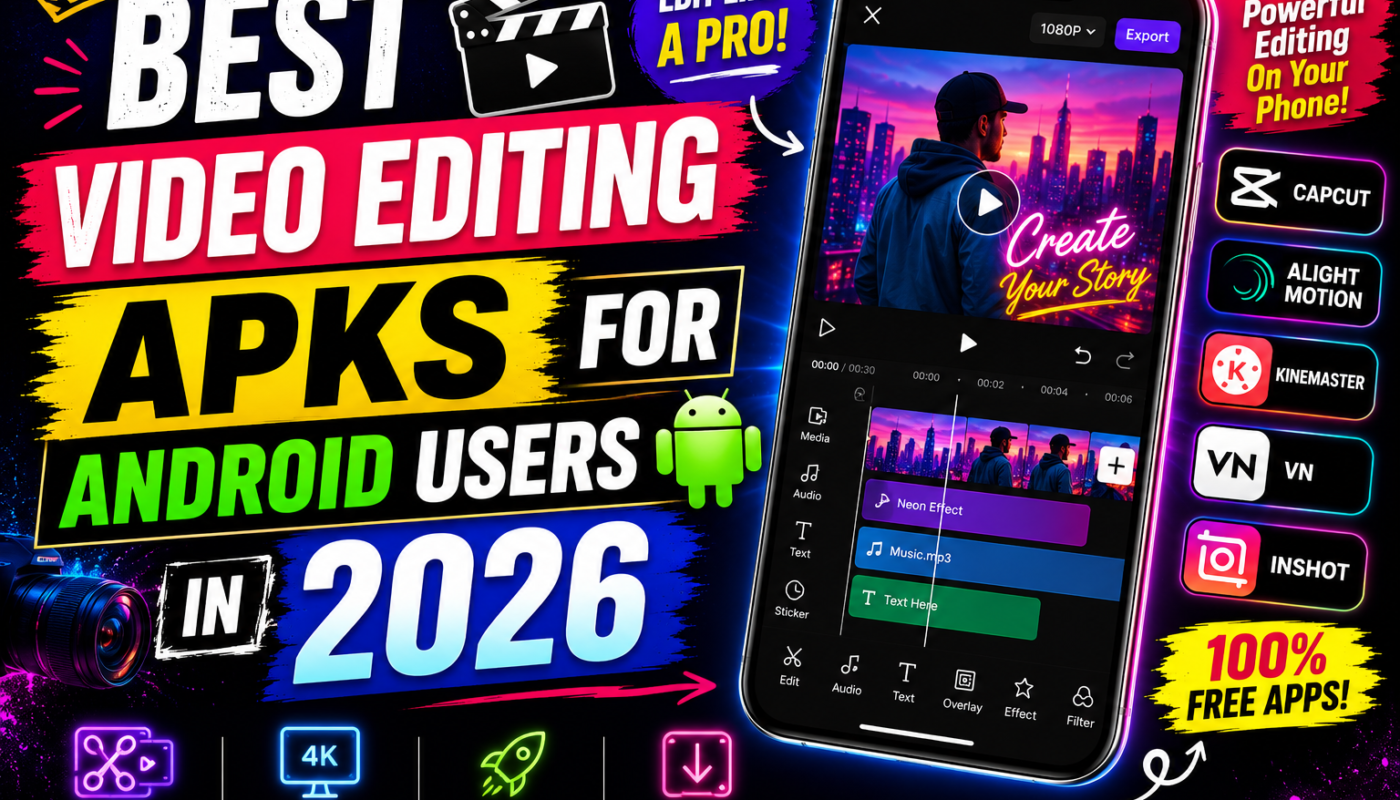
by Best Video Editing APKs for Android Users in 2026
Video content has completely transformed the internet over the last decade. Platforms like TikTok, YouTube, Instagram, and Facebook have made video creation one of the most important digital skills in the modern world.
Today, millions of people create short videos, reels, gaming edits, cinematic clips, vlogs, educational content, advertisements, and social media posts directly from their smartphones. Because of this growing demand, Android video editing APK apps have become more powerful than ever in 2026.
Modern editing APKs now offer professional-level tools including AI editing, motion graphics, green screen effects, 4K exporting, cinematic transitions, auto captions, and advanced audio controls — all from a mobile device.
In this article, we will explore the best video editing APKs for Android users, including their history, developers, features, popularity, and why millions of creators rely on them daily.
Why Video Editing APKs Are So Popular
In the past, professional editing required expensive computers and complex software. However, Android technology has improved dramatically.
Now users can:
- Edit videos professionally
- Create cinematic content
- Add visual effects
- Export HD videos
- Edit social media reels
- Produce YouTube content
directly from smartphones.
APK versions of editing apps became especially popular because they often provide:
- Premium features unlocked
- Watermark removal
- Advanced export settings
- Extra effects and filters
- More customization tools
This flexibility attracts creators worldwide.
1. CapCut APK
The Most Popular Video Editing APK in the World
CapCut is currently one of the biggest video editing applications globally. It was developed by ByteDance, the same company behind TikTok.
CapCut became extremely popular because it simplified professional editing for beginners while still providing advanced tools for experienced creators.
The app exploded in popularity during the short-video content boom between 2020 and 2026.
Features of CapCut APK
AI Auto Editing
CapCut uses artificial intelligence to automatically trim clips, synchronize music, add transitions, and create polished videos within seconds.
This feature is perfect for beginners who have little editing experience.
Auto Captions
One of CapCut’s most powerful tools is automatic subtitle generation. The AI can detect spoken words and create captions instantly.
This improves audience engagement and accessibility.
Cinematic Effects and Filters
The app includes:
- Slow-motion effects
- Motion blur
- Cinematic color grading
- Trending TikTok transitions
- AI beauty filters
These features help creators produce modern, viral-style content.
Green Screen and Background Removal
Users can remove backgrounds without using professional green screen setups.
This feature is widely used for reaction videos and creative edits.
4K Export Support
CapCut supports HD and 4K exporting with optimized compression for social media uploads.
Because of its simplicity and powerful tools, CapCut remains the top editing APK for Android users.
2. Alight Motion APK
The King of Motion Graphics Editing
Alight Motion was launched in 2018 by Alight Creative, Inc.
The app quickly became famous among editors creating:
- Anime edits
- Gaming montages
- Cinematic transitions
- Motion graphics
- Velocity edits
- Typography videos
Unlike standard editors, Alight Motion focuses heavily on animation and visual effects.
Features of Alight Motion APK
Keyframe Animation
This is the app’s most famous feature.
Keyframes allow users to animate movement, effects, zooms, and transitions professionally.
Visual Effects Library
The app includes:
- Glow effects
- RGB effects
- Blur transitions
- Shake effects
- Color correction tools
These tools are widely used in trending social media edits.
Multi-Layer Editing
Users can edit:
- Videos
- Images
- Audio
- Text
- Shapes
on separate layers for better control.
Vector Graphics Support
Unlike many mobile editors, Alight Motion supports vector-based editing for smoother animations.
High FPS Export
The app supports high frame-rate exports that create smooth cinematic videos.
Alight Motion is especially popular among advanced mobile editors.
3. KineMaster APK
Professional Editing on Android Devices
KineMaster was officially launched in 2013 by KineMaster Corporation.
The app became popular because it brought desktop-style editing features to Android smartphones.
Many YouTubers and vloggers still consider KineMaster one of the best mobile editing apps available.
Features of KineMaster APK
Multi-Layer Timeline Editing
Users can work with:
- Multiple videos
- Images
- Text layers
- Audio tracks
- Effects
simultaneously.
Chroma Key Support
Green screen editing allows creators to replace backgrounds professionally.
This feature is heavily used for YouTube videos and cinematic content.
Audio Editing Tools
KineMaster includes:
- Voiceovers
- Audio filters
- Sound effects
- Volume automation
- Background music tools
Precision Trimming
Frame-by-frame editing allows users to make highly accurate cuts and transitions.
Professional Export Options
The app supports HD and high-frame-rate exports for social media and YouTube uploads.
KineMaster remains a favorite among professional mobile creators.
4. VN Video Editor APK
Lightweight Yet Powerful Editing App
VN Video Editor has become increasingly popular because of its clean interface and powerful editing features.
Unlike many heavy editing apps, VN Editor runs smoothly even on mid-range Android devices.
Features of VN Video Editor APK
Easy User Interface
The app is beginner-friendly while still offering professional tools.
Advanced Timeline Controls
Users can easily split, trim, and synchronize clips.
Text and Subtitle Features
The app includes stylish subtitle animations and typography effects.
Smooth Performance
VN Editor is optimized for stable performance and lower battery usage.
No Watermark Exports
Many creators love the app because exported videos remain clean and professional.
VN Editor is ideal for users wanting simple but high-quality editing.
5. Filmora APK
Creative Editing with AI Features
Wondershare Filmora is developed by Wondershare and became widely known for beginner-friendly editing tools.
The Android APK version continues gaining popularity in 2026.
Features of Filmora APK
AI Video Enhancement
Filmora uses AI tools for:
- Auto editing
- Smart transitions
- Face tracking
- Audio cleanup
Ready-Made Templates
The app provides templates for:
- Vlogs
- Reels
- TikTok videos
- YouTube intros
Large Music and Effects Library
Creators can access:
- Royalty-free music
- Sound effects
- Filters
- Stickers
Simple Editing Workflow
Filmora focuses on making professional editing easier for beginners.
Filmora is excellent for quick content creation.
Why Creators Prefer APK Versions
Many Android users prefer APK versions because they often provide:
- Watermark removal
- Premium effects unlocked
- Extra export options
- Better customization
- Advanced editing tools
However, users should always remain careful while downloading APK files.
Are Video Editing APKs Safe?
APK files can sometimes contain harmful software if downloaded from unsafe websites.
Safety Tips
- Download from trusted APK websites only
- Avoid fake premium apps
- Scan files with antivirus software
- Read user reviews first
- Avoid suspicious permissions
Security should always come first.
Final Thoughts
Video editing on Android has become incredibly advanced in 2026. Modern APK editors now provide professional-level tools directly on smartphones, making content creation easier than ever.
Apps like CapCut, Alight Motion, KineMaster, VN Video Editor, and Wondershare Filmora continue dominating mobile editing because of their powerful features and creator-friendly tools.
Whether you are a beginner, gamer, YouTuber, freelancer, or social media influencer, these editing APKs can help transform simple videos into professional-quality content.